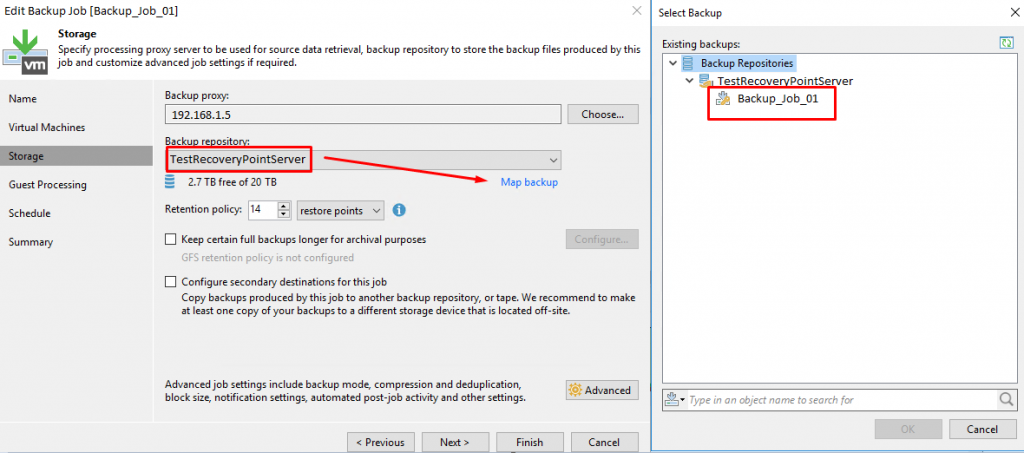
If you’ve moved the backup files to another source for some reason and don’t want to make a full backup again, there is a good workaround to continue taking incremental backups.
1- You have moved your backup file to the new veeam recovery point server (must be in the .vbm file)
2- Run the RPS rescan.
3- Edit related job.
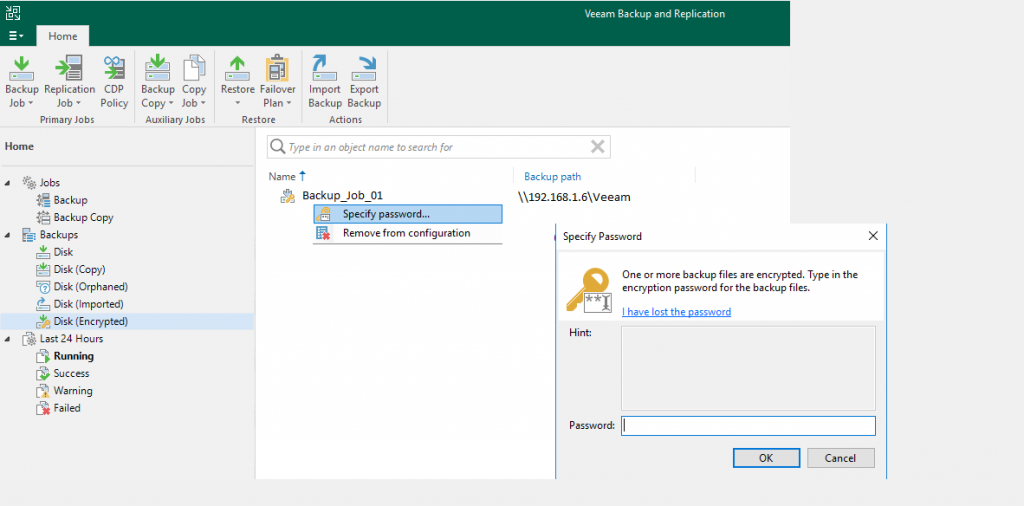
4- If you are using backup encryption method, you must enter password.
5- Storage > Selecting new backup repository > map backup > “Backup_Job_01” select.